Project templates

Abraham
Meet our new, ultra-fast, reusable templates for projects that instantly create all tasks, assignees and even deadlines for you, using our new automated dates feature.
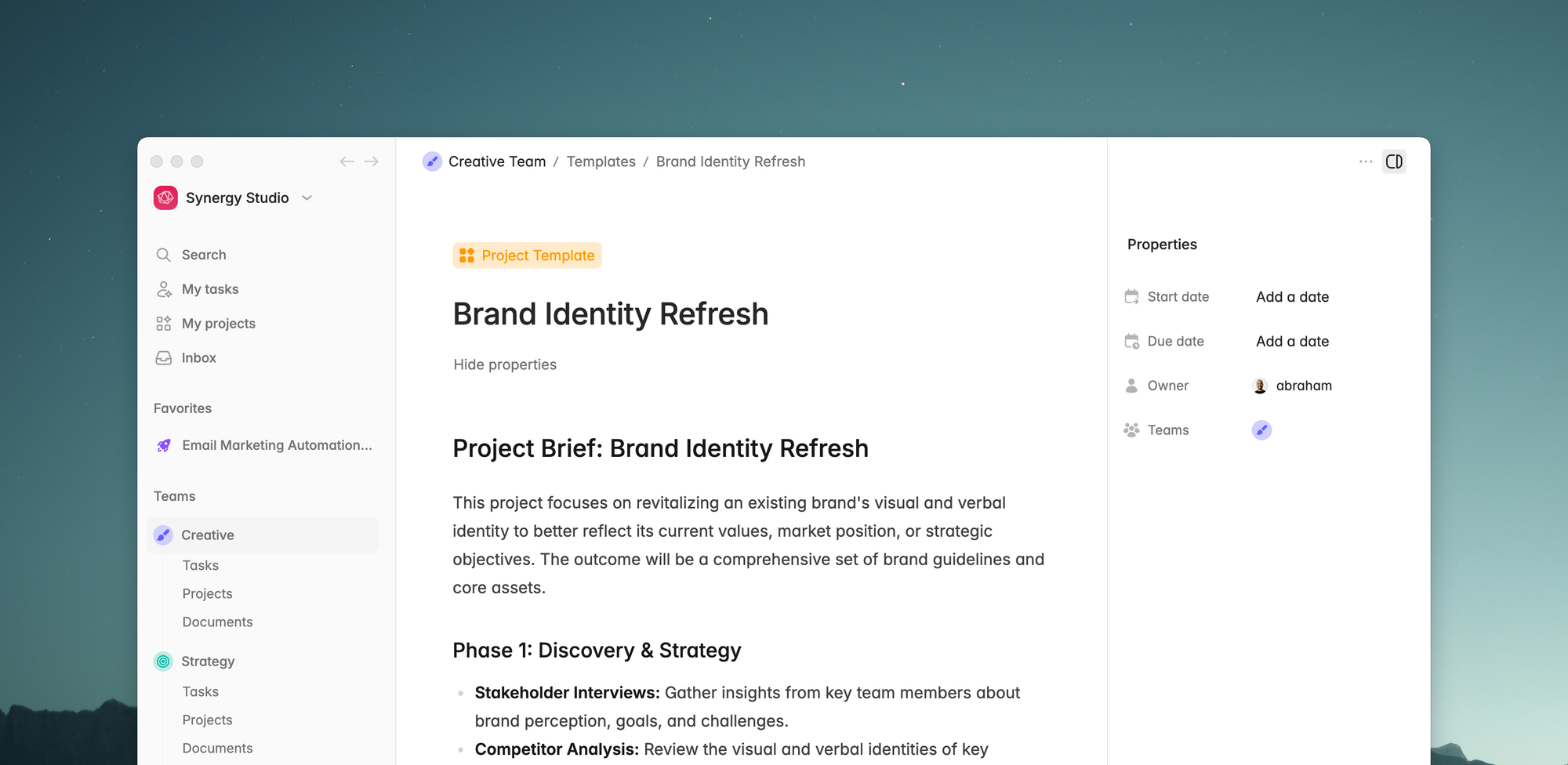
Add your brief and tasks like a normal project
From your team's templates navigate to the new "Projects" tab, and create a new template.
You'll have the full document editor to write your brief or PRD, and the dedicated task list at the bottom.
Everything you add to the "Tasks" section is a template on its own. You can go in and fill in all the details, set the properties (as usual) and hash out the entire project execution.
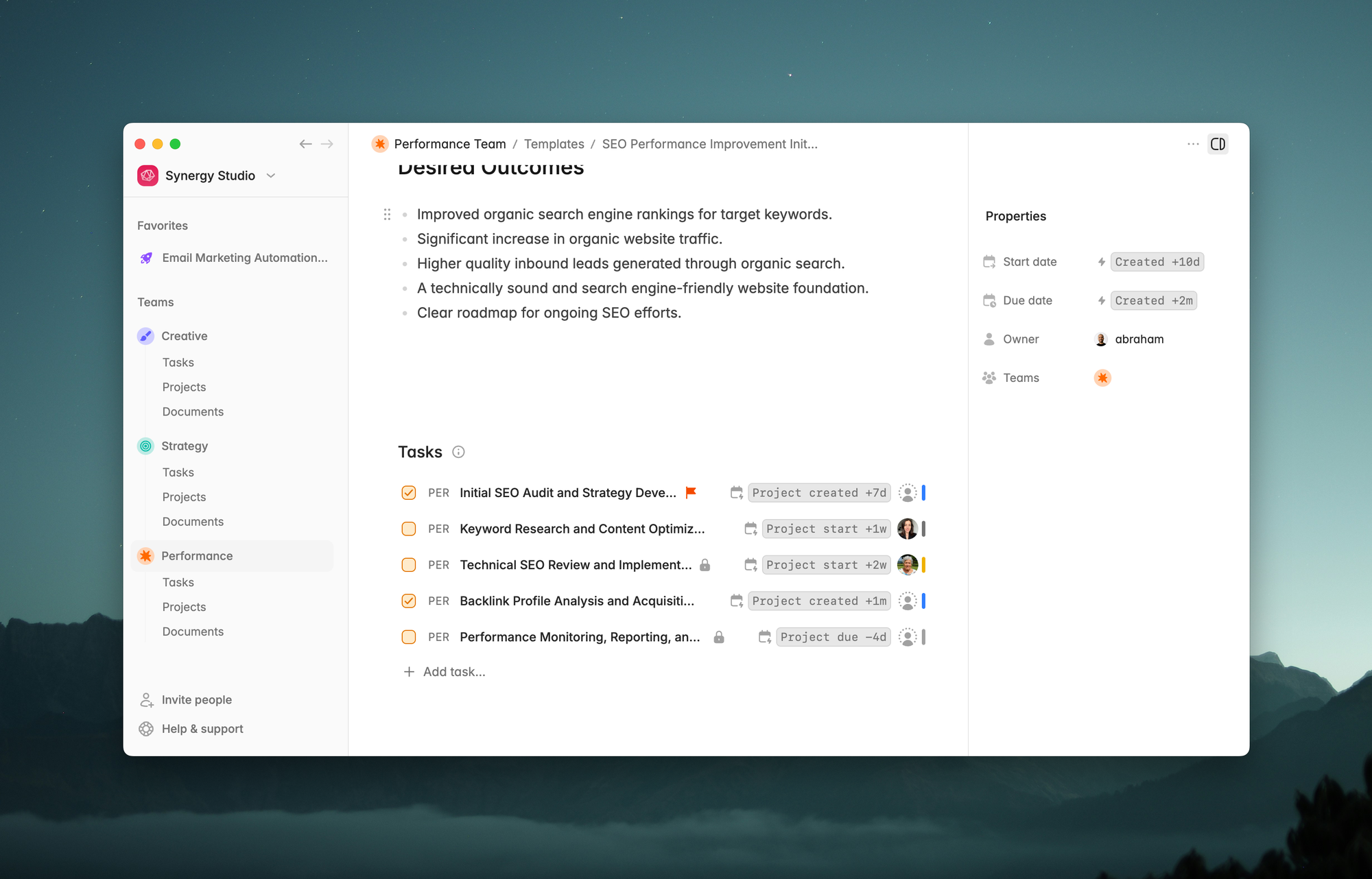
Whenever you start a new project from a template, Plot will generate all the tasks needed to finish it.
Automate due date assignment and deadlines with our new auto-dates feature
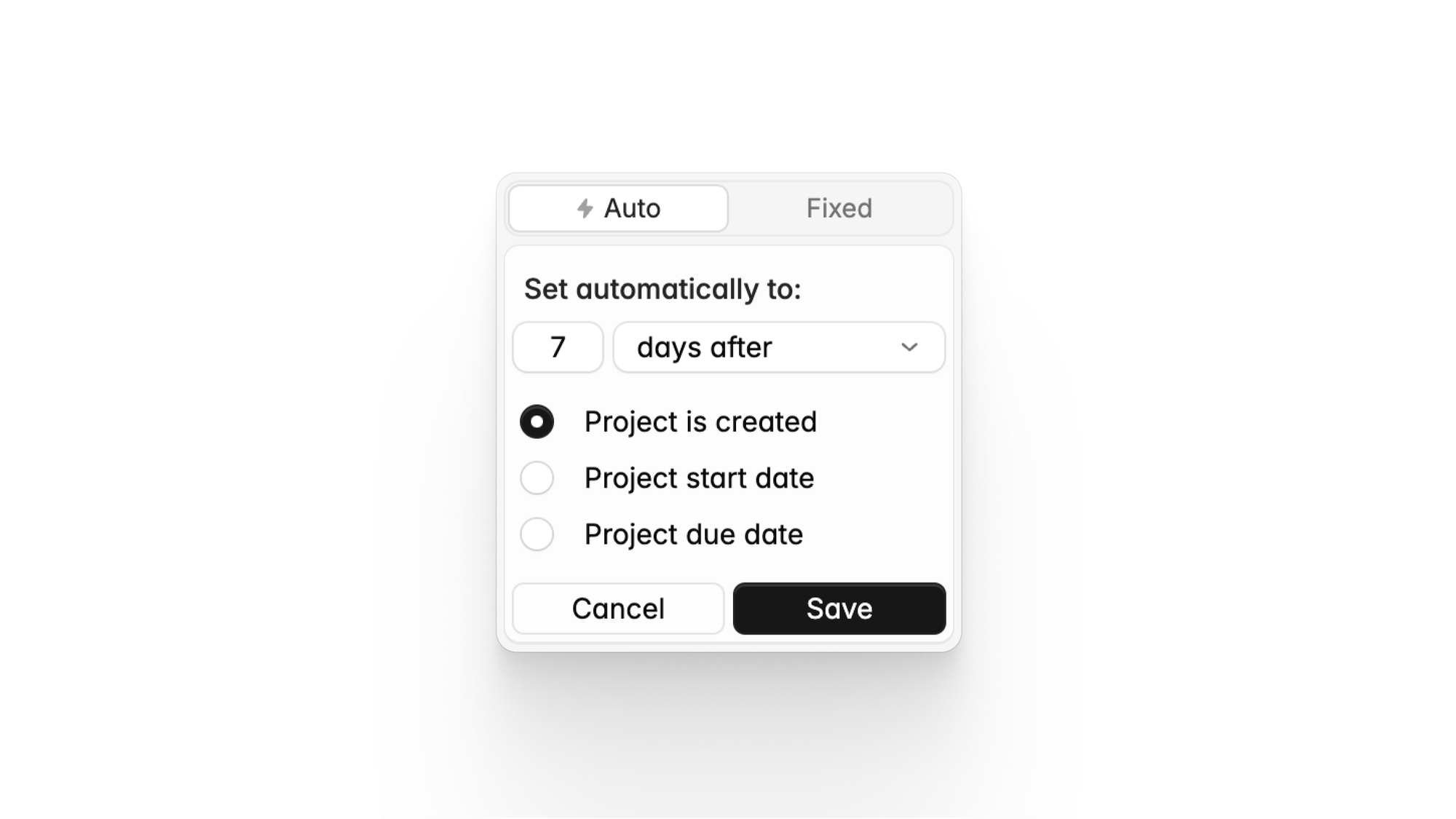
The most annoying part of using project templates is having to manually configure the due dates and do mental math for each individual task. Every. Single. Time.
Well, with Plot you won't have to do that any more.
From your tasks list click the calendar icon. In the new "Auto" tab you'll be able to pick a date relative to when you create project or its start/due dates.
Then, when you create the new project, the due date for the task will be auto-calculated for you.
Create your projects with one click
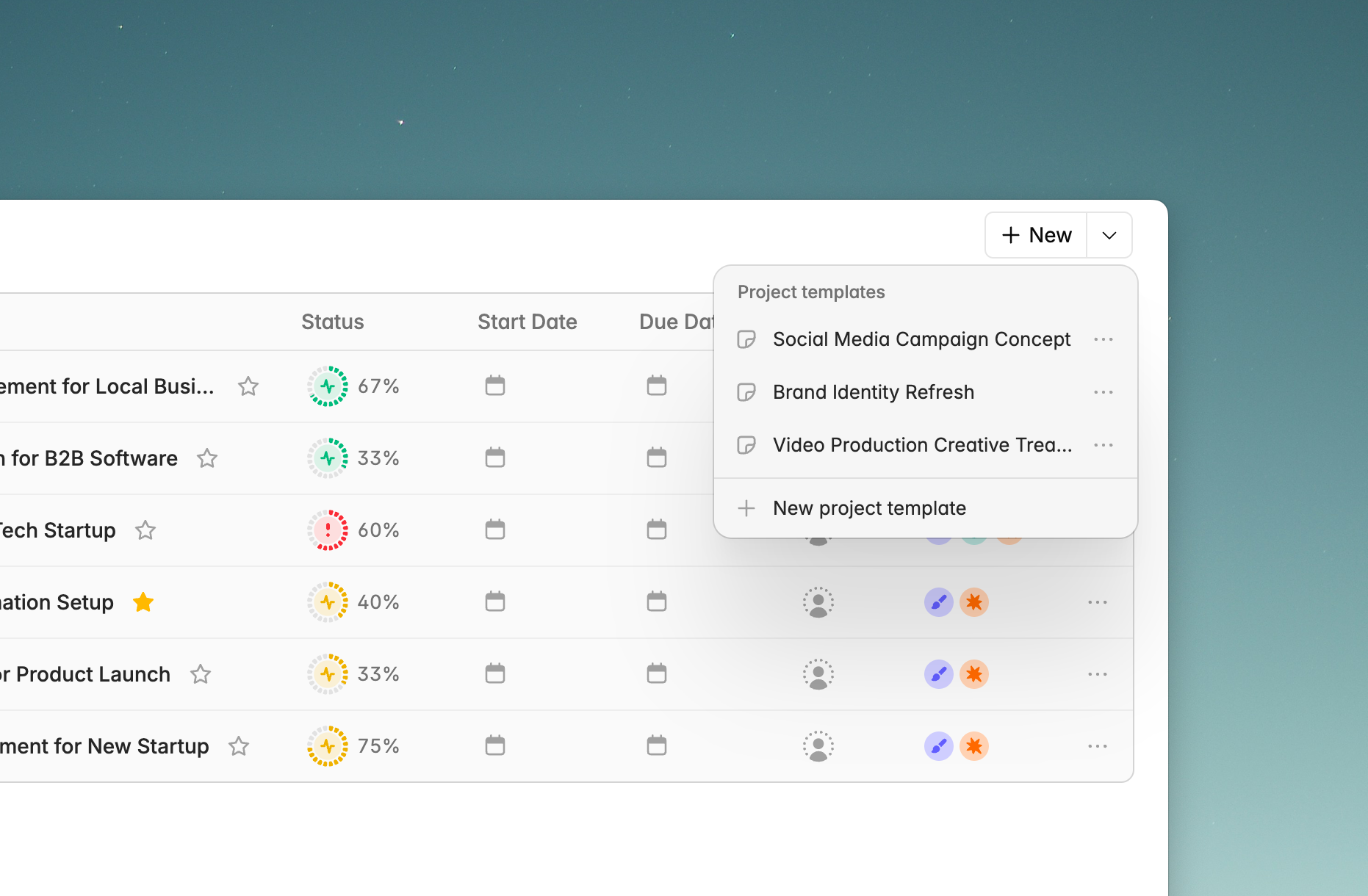
From the "projects" section of your team, you'll see a new button with a downward facing arrow. On that button you will see a dropdown menu with all your templates.
Plot will create a new project with your predefined settings, brief and tasks when you select any of them.
Improvements and bug fixes:
- Fixed a regression in our main text input that caused text truncation issues, as well as the wrong starting position to the input when the editor was unfocused.
- Fixed a small lag issue in our text editor when rendering the drag handle.
- Fixed a visual regression in our icon picker, previously rendering larger than the regular inputs in some cases.
Try Plot free for 15 days
Plot replaces the bloated all-in-one apps with a focused workspace built for projects, tasks and documents. Impossibly fast, refreshingly simple.