Meet Plot for the CLI: collaborative agents for your whole team

Abraham Aguilera
··7 min readRight now we're in the wild west of AI agents in knowledge work. Everyone is finding new and cool ways to use agents to push harder than ever before. To build the proverbial railroad and find untold riches at the other side.
And as a result, we are all doing a lot more.
But where are all the productivity gains? Where are all the new and amazing marketing campaigns? Where are the outsized results?
Well, the problem is that agents are awesome at doing individual work very, very fast... but they are awful at working with a team.
They only have as much context as you give them when prompting. They only know what you tell them in your session, or what they get to discover by looking at your local files. Even with MCP, discovery is often slow, tedious, or bloats your context window, making you hit your "5h limit" at least 10x faster.
And the byproduct is new, uncharted chaos.
Today, we're introducing the best way to flip the dynamic and let agents become truly collaborative: Meet Plot, for the CLI.
An app built for agents and how they work
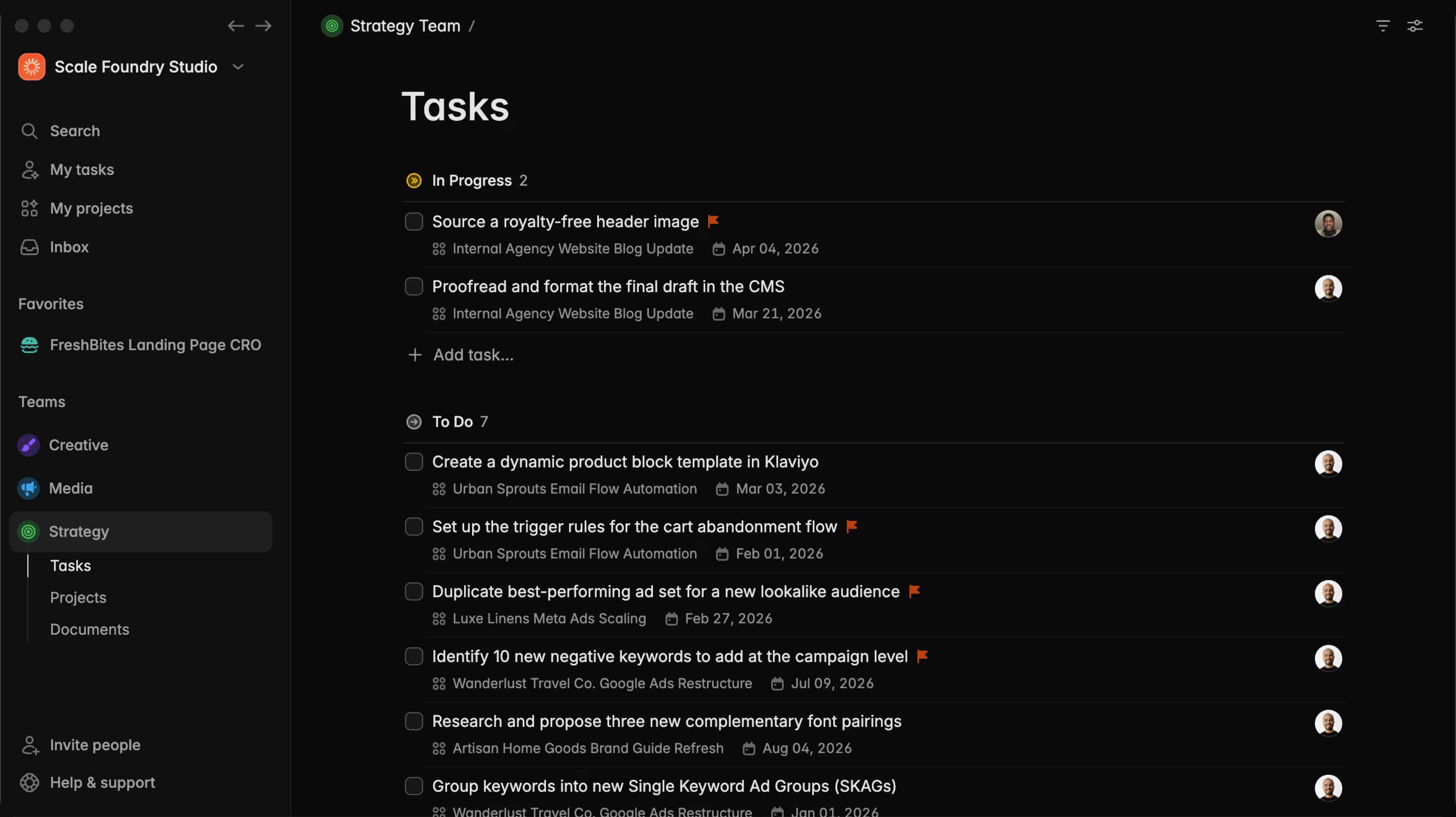
Our CLI app is designed specifically for agents. It gives them a true seat at the table, helping them get the shared context they need in order to make decisions and execute on your work. They have instant access to your docs, your task descriptions, and even the higher level context like the project the task lives under or the collection it belongs to.
So instead of writing a short novel as a prompt every time you want the agent to help you with some work, your whole prompt can be something like this:
Execute task MKT-010. Refer to the ad copy guidelines in our marketing team docs, and see other work we've completed for the client in the Acme Inc collection.
And the agent goes to work. It will:
- Get the full context for the task MKT-010, including the project it belongs to, the discussions your team has had around it, and all the subtasks and dependencies it has.
- Get the ad copy guidelines you have documented in your team docs in Plot.
Much, much better than an individual
SKILL.mdorGUIDELINES.mdfile, because this is shared with your whole team, bringing consistency to the output. - Fetch other projects and tasks you already approved and completed for the client, so it knows what worked and what didn't, what decisions you made, and how the previous projects were executed.
Under the hood, that's a handful of commands the agent runs on its own:
plot task get MKT-010 --format json --quiet
plot search "ad copy guidelines" --format json --quiet
plot search "Acme Inc" --format json --quiet
But it doesn't stop there.
Stop losing valuable context when conversation ends
A lot of times when doing agent assisted work, the whole plan can't be completed in one session. And after the session ends, progress (and all the context and learnings from the conversation) is lost.
Plot CLI solves the problem by giving agents new tools to keep track of what they've done, the same way your team does it in the desktop app. Agents now can:
- Update status of tasks they've picked up, so you always know what's complete, what needs your review, and what another agent is already working on, preventing duplicate execution.
- Add labels, blockers, and dependent tasks to help you organize and discover bottlenecks.
- Add comments to update you and your team on what they've done, or to leave notes of learnings and context for a future iteration if the work will span many sessions.
- Document wider learnings as Plot docs for future reference that your whole team can access (building up your company's knowledge base).
plot task update MKT-010 --status "In Review"
plot comment add --entity task --id MKT-010 --body "Drafted 3 ad variants. Picked the one matching the Acme tone. Notes in the doc."
plot doc create --team MKT --name "Acme ad copy learnings" --description "$(cat ./learnings.md)"
When the next session starts, the context is right there on the task. The agent reads it instead of waiting for you to re-explain everything.
Plan (truly useful) projects in seconds
One major limitation of using Claude or Codex or other agents as your "project manager" is that the agent only knows what's in its training, so they need a lot of cajoling to work like you would.
Using Plot for the CLI, agents can now:
- Grab references of your previous work and similar projects completed by your team.
- Learn about your team members and what type of tasks they execute.
- Reflect on learnings documented via comments or docs.
And use all that rich context to help you plan the project following your internal practices, rather than inventing it from scratch every time.
So with Plot's CLI, any 3rd party agent can work as a true project management assistant, and break down a full project in minutes, with output you can trust.
The CLI also gives the agent special surfaces and tools to create the projects impossibly fast, with bulk task creation, file based batch operations, and more affordances to save on tokens and maximize utility.
cat <<'JSON' | plot task create-tree --format json
{
  "name": "Acme Q3 launch campaign",
  "team": "MKT",
  "subtasks": [
    { "name": "Audience research", "ref": "research" },
    { "name": "Write ad copy", "blockedBy": ["@research"] },
    { "name": "Design assets", "blockedBy": ["@research"] },
    { "name": "Schedule and QA", "blockedBy": ["@research"] }
  ]
}
JSON
Your team reviews the plan in Plot, the same UI they already use, reshuffles priorities, and adds context through comments. The agent picks up the first unblocked task and gets going.
Know who did what, and when
As agents do more of the work, it gets easy to lose the paper trail. Who decided to restructure the project? Who marked that task done? Who changed the brief?
Every action in Plot has attribution. When an agent creates a task, updates a status, or leaves a comment, the activity log shows which agent did it, which human prompted it, and when.
plot activity list --limit 20 --format json --quiet
This is the kind of thing most teams won't miss until they need it, and by then it's six months of untracked decisions. With Plot it's built in from the first command.
Bring your own agent
The CLI works with any AI tool that can run a shell command. Claude Code, Cursor, Copilot, Windsurf, and whatever ships next month.
plot setup
One command detects your installed agent tools and drops in the Plot skill. Your team doesn't have to standardize on a single AI tool. The person using Claude and the person using Cursor read from and write to the same workspace. Plot is the shared layer underneath all of it.
The workspace is where the team gains come from
We started with a question: agents made each of us faster, so where are the team-level results? They get lost in the gap between sessions and between people. Context stays trapped in a chat thread, a local file, or one person's head, and the next agent starts from zero.
Plot for the CLI closes that gap. Agents read from the same projects, tasks, and docs your team already works in. They write back what they learn, so the next session and the next teammate pick up where the last one left off. And every step is attributed, so you can see exactly how the work moved.
That's how the speed you're already getting from agents finally turns into results your whole team can feel.
Try Plot free for 15 days
Plot replaces the bloated all-in-one apps with a focused workspace built for projects, tasks and documents. Impossibly fast, refreshingly simple.