How to manage multiple projects at once (without making PM your full-time job)

Abraham Aguilera
··19 min readI've run four companies across agencies, startups and products.
And every time I've tried to implement "proper" project management (you know, daily standups, sprint retros, elaborate tracking systems...) I've hit the proverbial wall.
10 out of 10 times, the "system" became just more work on top of my actual work.
My teams always ended up abandoning it.
And just like clockwork, I went back to chasing everyone on Slack with messages asking "where are we on X?"
Because the truth is that if you are already spread thin, you can't afford more friction.
The "galaxy brain" setup makes it so that your information becomes scattered.
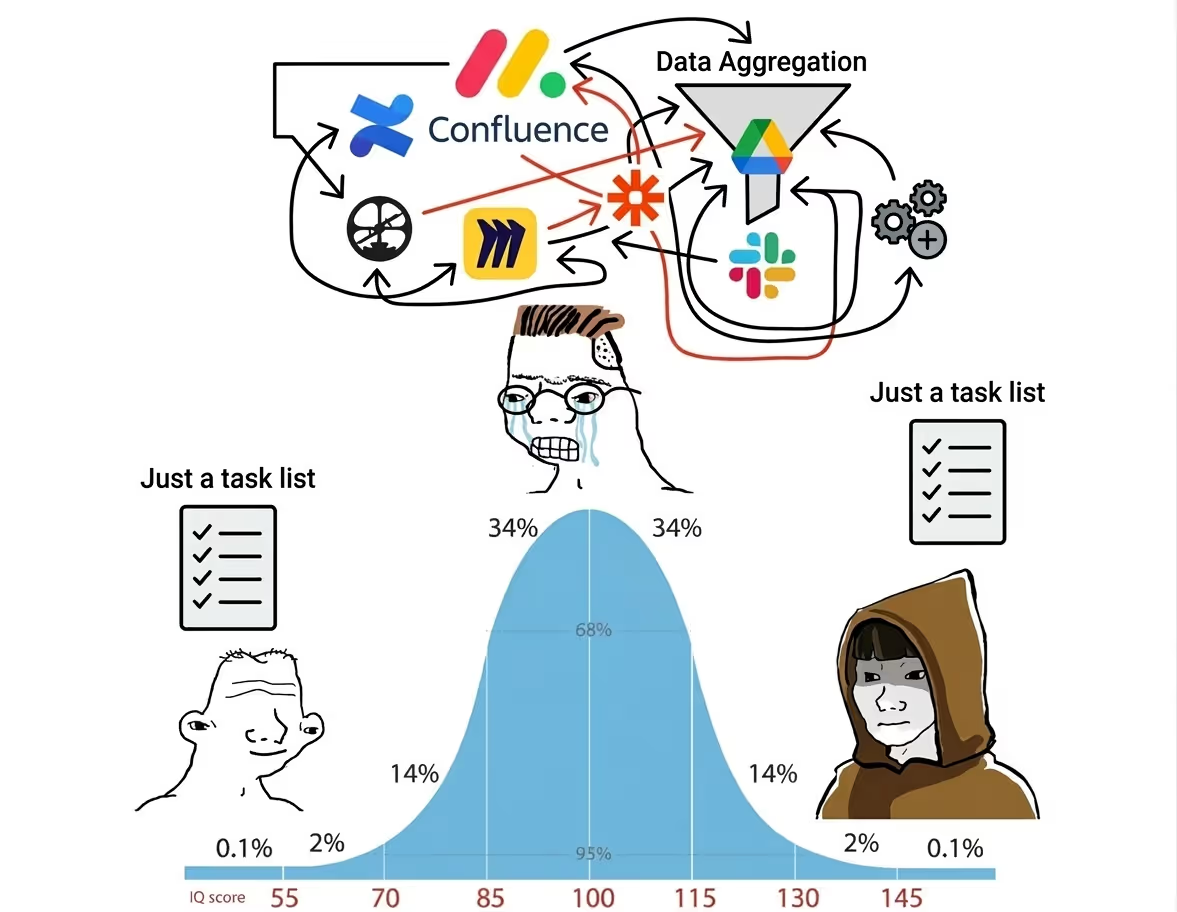
Projects' statuses are now hidden in a dozen Slack threads somewhere or in an automated Confluence page in a database that no one ever checks anymore.
(Ask me how I know)
The fix is to go as simple as you can.
And in this post, I'll share the streamlined process that finally worked for me.
A simple system for managing multiple projects at once
I'm going to give you four rules instead of a twelve-step framework.
These are the constraints I wish I'd used across every team I've run.
They work for a 3 person startup and they work for a 12 person agency running eight client projects simultaneously.
Rule 1: Be brutally honest about your capacity
The single highest leverage thing you can do to manage multiple projects is take a hard, honest look at your capacity during planning phases.
The common advice here is "just do fewer things."
And yes, if you can park projects that don't need to move right now, park them.
But if you're running an agency, "just cap your projects" is useless advice.
Clients have deadlines, work ebbs and flows...
You can't tell six prospects to wait because you've hit your project limit (we have bills to pay in this house).
But you still can rein it in with some guardrails:
Plan for reality (not optimism)
Let me introduce you to Hofstadter's Law:
"Everything takes longer than you expect, even when you account for Hofstadter's law."
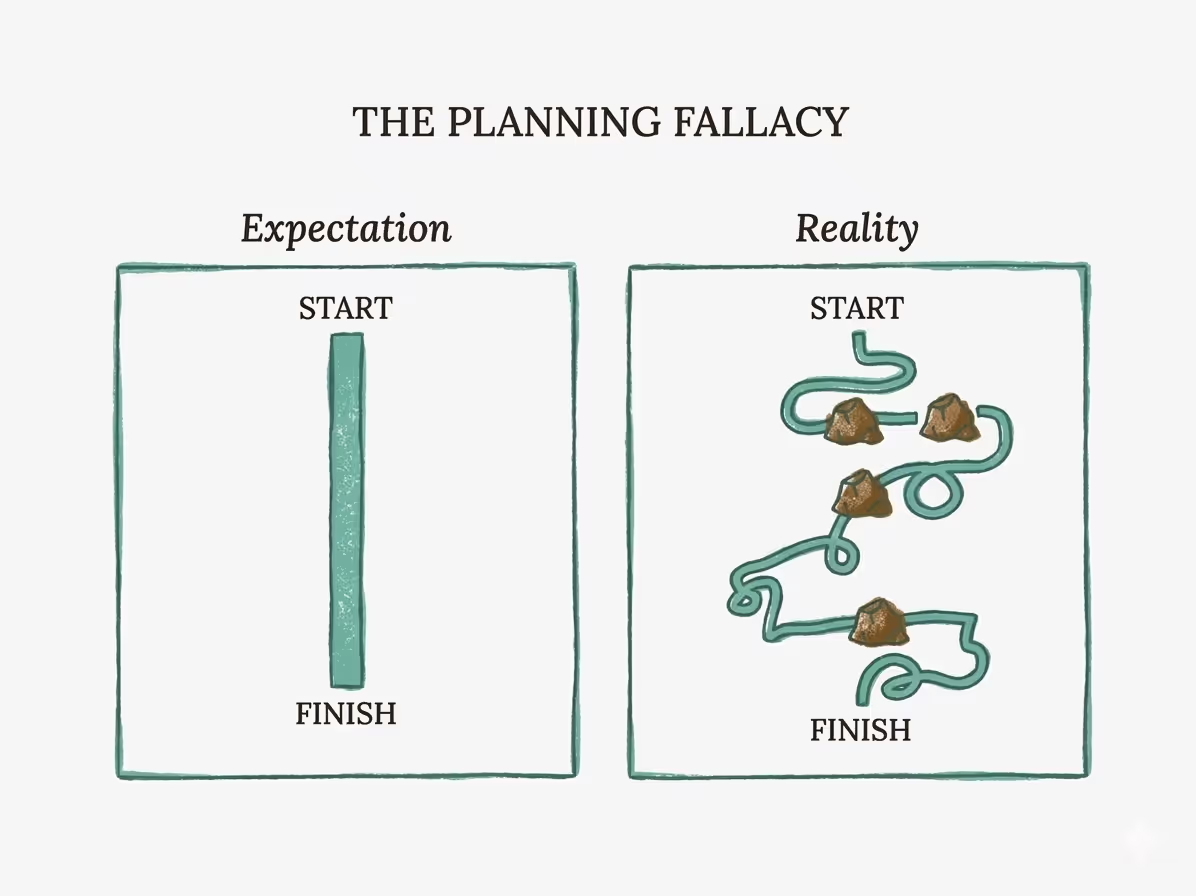
I've found this to be painfully true across every team I've run.
Here's how I correct for it:
- Double your time estimates. If you think a project takes two weeks, plan for four. There's a well-documented cognitive bias called the planning fallacy: people consistently underestimate how long their own tasks will take, even when they've been burned before. You'll be right more often than you'd like to admit.
- Plan for 50-60% of your team's working hours. "But that's expensive big dawg". I know right? But it's the only sane way to do it. The remaining time is where resource conflicts, overlapping deadlines, and unexpected fires get absorbed.
- Set internal due dates at least one week before the real deadline. That buffer goes a long way in helping you fix things without going into crisis mode. And if you finish early? Then that's a nice surprise for your stakeholders right there.
Bring in extra hands early
When you see a capacity crunch coming (and with honest planning, you will see it), bring in pre-vetted contractors before your team is on fire.
Finding a freelancer while your team is already catchin' whiffs of smoke is a recipe for bad work and burned-out people.
Build a bench of trusted contractors you can call on with a week's notice. That bench is one of the most valuable assets a small team can have.
Plus, if you do it right, you get to work with specialists in a narrow field (which is perfect for unblocking work).
It is totally fine to push back on deadlines.
Not every client deadline is real.
Some are arbitrary dates someone picked in a planning meeting three months ago.
When a deadline feels unrealistic, negotiate. Propose a phased delivery. Explain the trade-offs.
Good clients respect honesty about timelines. Bad clients will burn your team either way.
Bonus: If the client pushes for a crunch?
Add a wild rush fee. 2x the price. Good clients will either pay if the deadline is real or negotiate a timeline that suits you better.
The same goes for internal work.
If you don't have clients, and your team is crunching around a self-imposed deadline, ask yourself:
Is this date real, or did we just pick it?
If you picked it, you can move it.
Protecting your team's energy over a long timeline matters more than "moving fast" on an unrealistic deadline.
Prioritize by business impact first
At some point you'll have more projects than your team can move forward simultaneously. This is normal.
The question is how you decide which ones get attention first.
Which projects generate revenue, unblock other work, or have hard deadlines from a client? Those go first. Assign your strongest people to the highest-impact deliverables.
Everything else goes into the proverbial parking lot until capacity opens up.
Rule 2: Put everything in one place
Before you roll your eyes: I know you've heard this before.
But most teams don't do it. They just won't.
They'll set up a dozen separate tools with a complex system duct taped together with Zapier automations.
And still the only "source of truth" is a Slack thread where you had to put your foot down to get some answers.
No thank you.
That scattered setup is the root of the anxiety we talked about earlier.
What a central source of truth looks like:
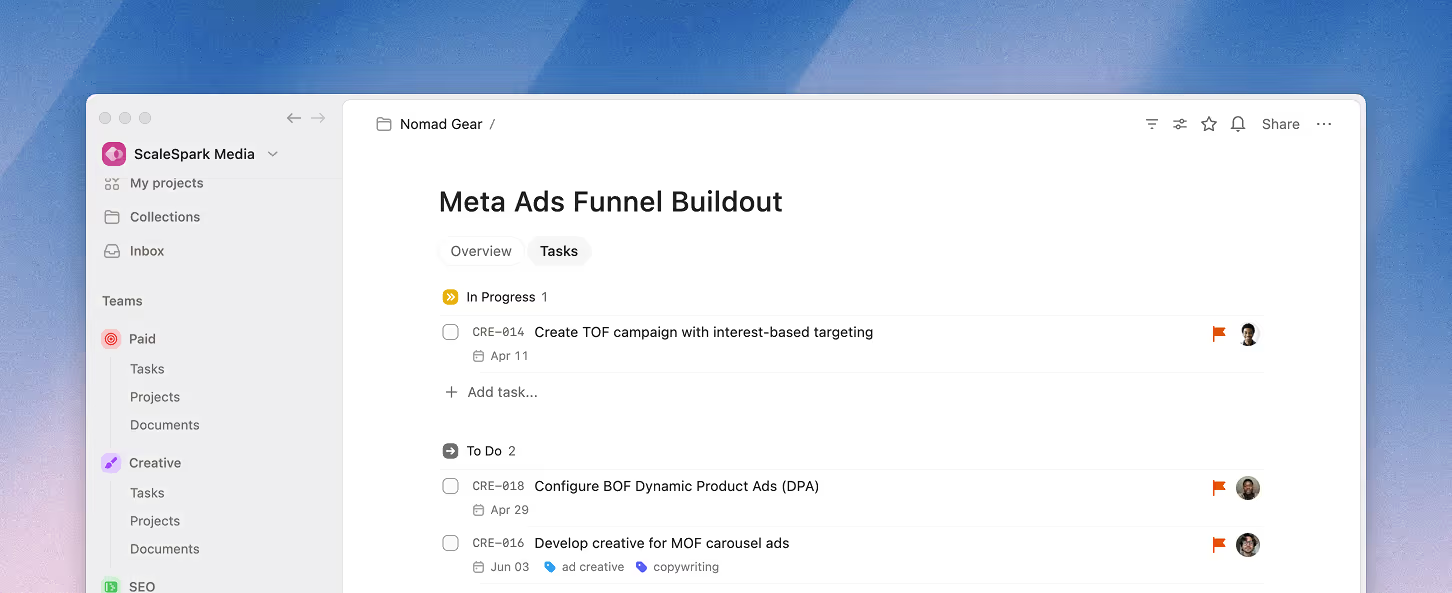
- The project's tasks live in the same tool as its specs.
- The status updates live with the project, not in a Slack thread.
- Every piece of feedback lives attached to the task it's about.
- Any team member can open one screen and see what they (or anyone else in the team) needs to do today.
- All related projects can be viewed together in a single unified place so you can spot problems without digging through each one individually.
Rule 3: One owner per project
Every project needs exactly one person who can answer three questions at any moment:
- Is this project on track?
- What's the next thing that needs to happen?
- Is anything blocked?
That person is the project owner.
It doesn't have to be a dedicated Project Manager hire. It doesn't have to be the founder.
The project owner can be any of the contributors. Usually the one with the most seniority or the biggest involvement in the project's success.
Their job is clarity and accountability. They catch hidden issues before they blow up. They go 1 on 1 with contributors, monitor task updates, and keep everything running smoothly.
Is that a lot?
Well, yes. But they also get to make decisions, organize and delegate the work as they see fit, and ask leadership for more resources.
Rule 4: Kill status meetings
Status meetings are one of the biggest sources of chaos for small teams.
You get five people on a Zoom call: Two people talk. One is silently nodding while scrolling on X. Two of them zone out.
The meeting runs 45 minutes. And the information that gets shared could have been a paragraph.
"But... Granola will fix me."
Yes, sure, transcripts are cool, but have you tried not having meetings?
Replace the meeting with a weekly written update from each project owner.
The format is dead simple:
- What shipped this week?
- What's coming next week?
- What's blocked or at risk?
- Any decisions needed?
Writing this takes the project owner about 5 minutes.
Reading three project updates takes you (or the team lead) about 3 minutes.
Compare that to a 45-minute status meeting, and the math is obvious.
But there's a deeper benefit: written updates force clarity.
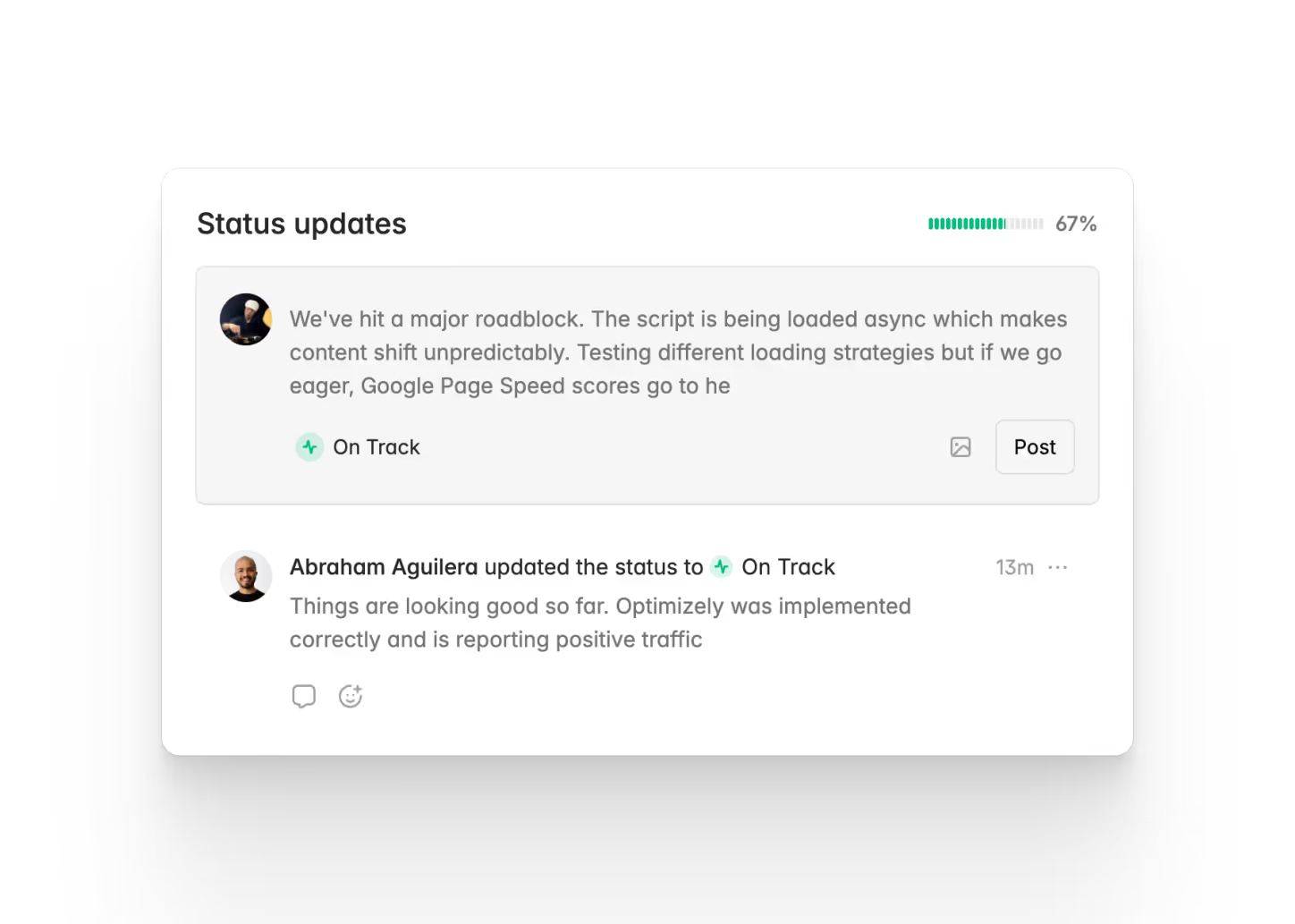
When a client asks what happened last month, you don't have to reconstruct it from memory. The history is right there.
The owner writes their update (including a health check) and it stays in a single feed for anyone to read through when they need to know what's up.
Over weeks, you build a clear history of what shipped, what slipped, and what kept getting blocked.
When priorities shift...
(And they will), document the change in the update. Not just what changed, but why.
"We paused the analytics dashboard to prioritize the onboarding flow. Client feedback showed new users were dropping off before reaching the dashboard."
That one sentence saves you from five confused Slack messages later. And it gives the team context so they understand the shift instead of just reacting to it.
How to plan a project for success (in easy mode)
Those are the four rules. Everything below is how to set each project up for success before the work starts.
Write a short brief
Here's a loose template/structure you can use:
-
Problem & goals: (2-3 sentences) What are we trying to do, who's affected, why it matters now. One specific story.
-
Solution (a few bullet points or a rough sketch) the "fat marker sketch," of the core approach. Don't go overboard with details here. Keep it broad strokes.
-
Done looks like... This is the "definition of done." How do we define success? What does it look like for us (or the client if this is an external project) if we get this over the finish line?
-
Out of scope: What you're not building (Shape Up calls these "no-gos" and "rabbit holes"). Must be explicit to avoid confusion, rehashing and long discussions over mid-project ideas and changes of heart.
Take an hour to write this down and force yourself to think clearly. Leave it close to your task tracking so everyone in the team can go back and read through.
Break work into (good) tasks
Bad tasks hide complexity. Good tasks make the work plannable.
A few guidelines:
Make tasks actionable and specific.
"Wireframe for homepage" is vague. "Create 2 wireframe options for the homepage" tells the person exactly what to deliver and when they're done.
Each task should be completable in a single work session.
If it takes longer, it's probably multiple tasks and should be split into subtasks.
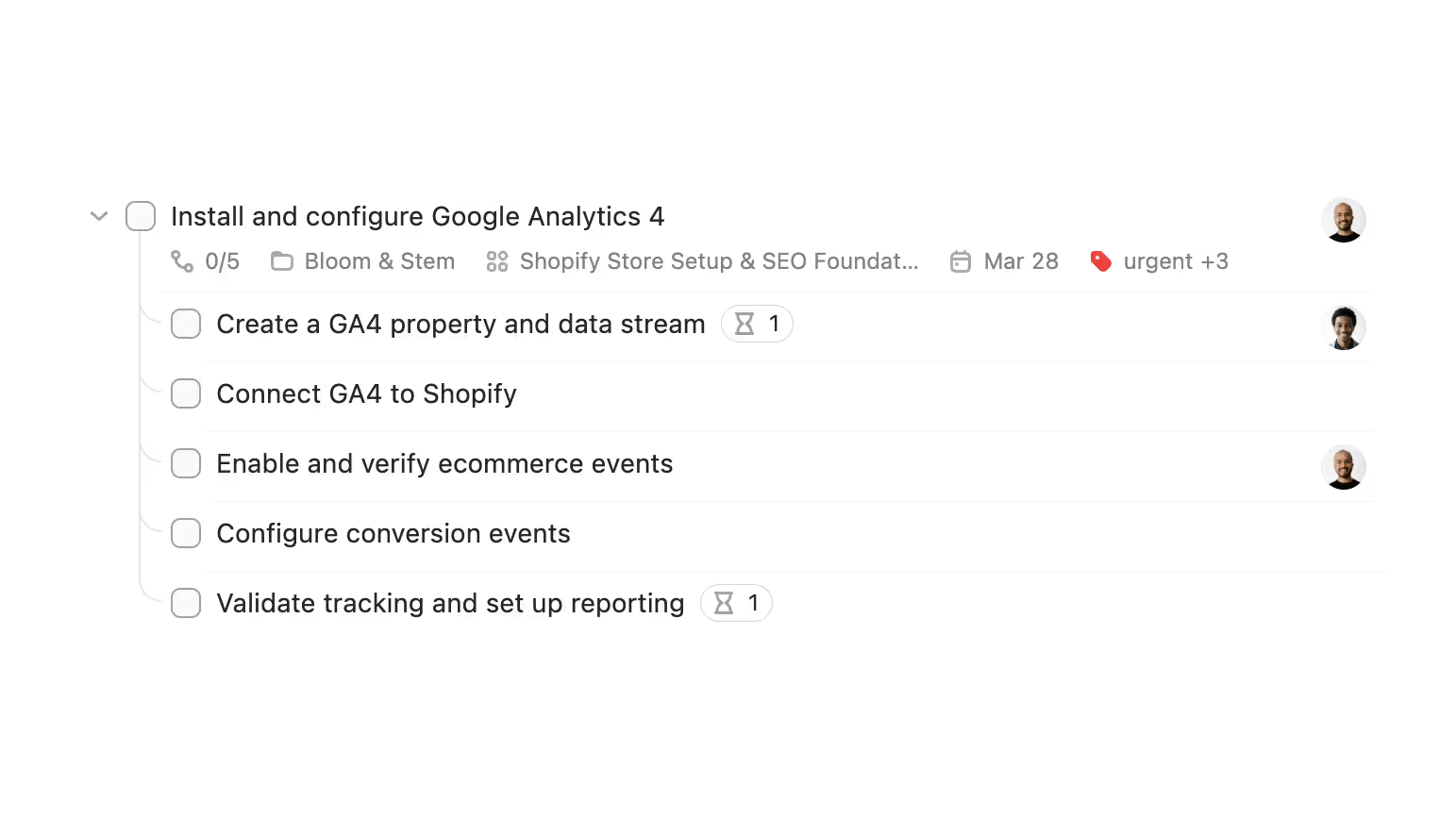
"Install and configure Google Analytics 4" looks like one task, but it's actually five: create a GA4 property and data stream, connect GA4 to Shopify, enable and verify ecommerce events, configure conversion events, and validate tracking and set up reporting.
That's five tasks hiding inside one. Folding them together hides complexity and makes it impossible to plan realistic deadlines.
Every task needs a clear definition of done.
The "done" state should be easy to recognize. If you can't tell whether a task is finished by looking at it, it's not well defined.
Make task dependencies explicit.
If task B can't start until task A is finished, surface that clearly so the team knows what to expect and nobody sits idle wondering what happened.
This is especially important when you're running multiple projects, because a blocked task in one project can cascade into delays across others.
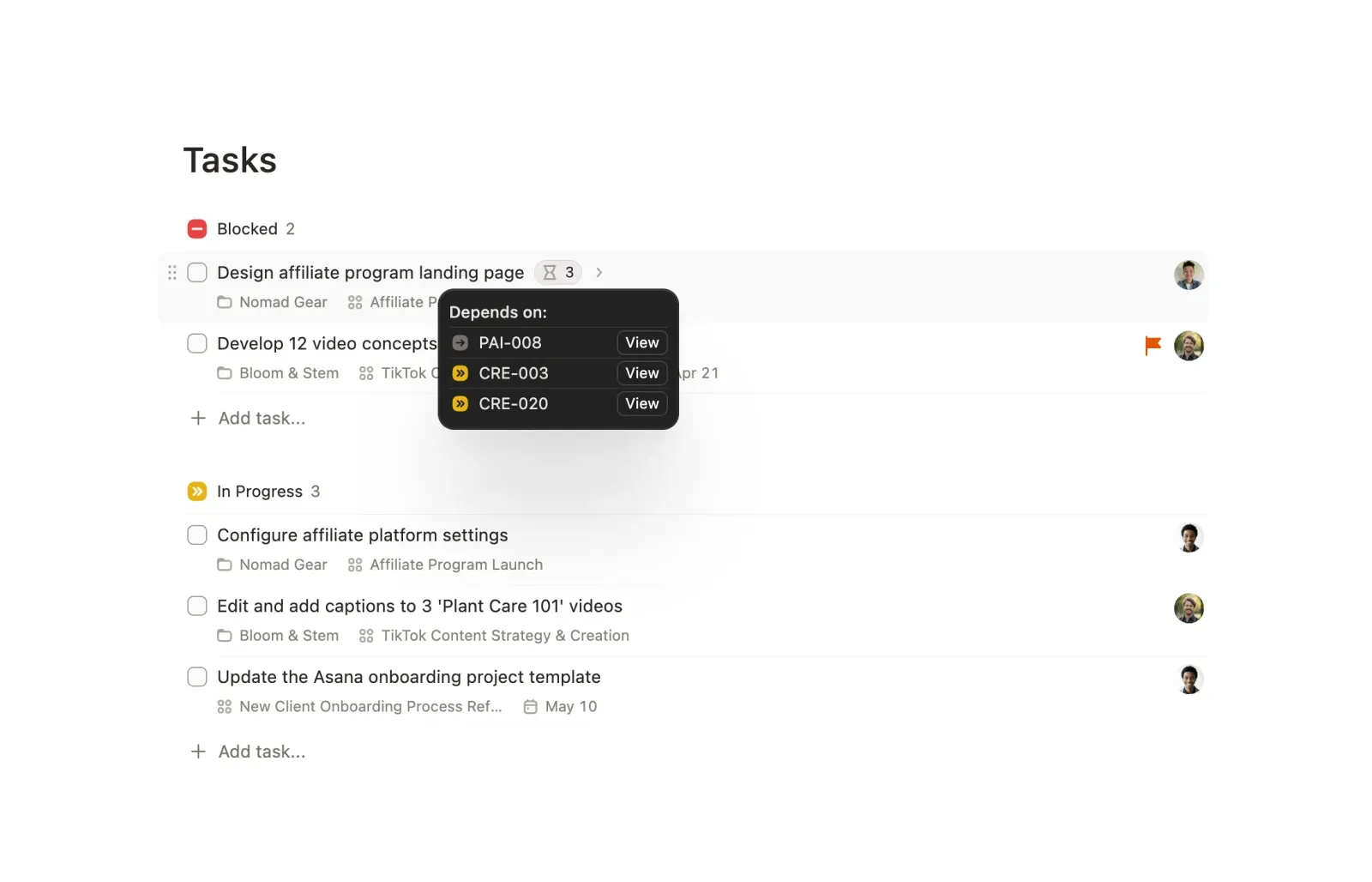
Keep your active task list short and their status up to date.
Each project contributor shouldn't have more than 1 "in progress" task at a time.
If they have more, either:
a. The task status is outdated.
b. The task is quietly stalled (making the status outdated, should be moved to "blocked" or tagged for "review").
c. The team member is overloaded.
It's up to the project owner to be mindful of this rule, and ensure it is enforced.
Use templates for repeating work
If your team runs the same type of project over and over (weekly content cycles, client onboarding, product launches), template it.
(Heard some McKinsey types call it building SOPs, yikes...)
Build the project once with all the standard tasks, assignees, labels, and a workflow that your team already knows.
Include checklists in the task description with repeatable processes where possible.
Then create a new project from that template whenever you need it.
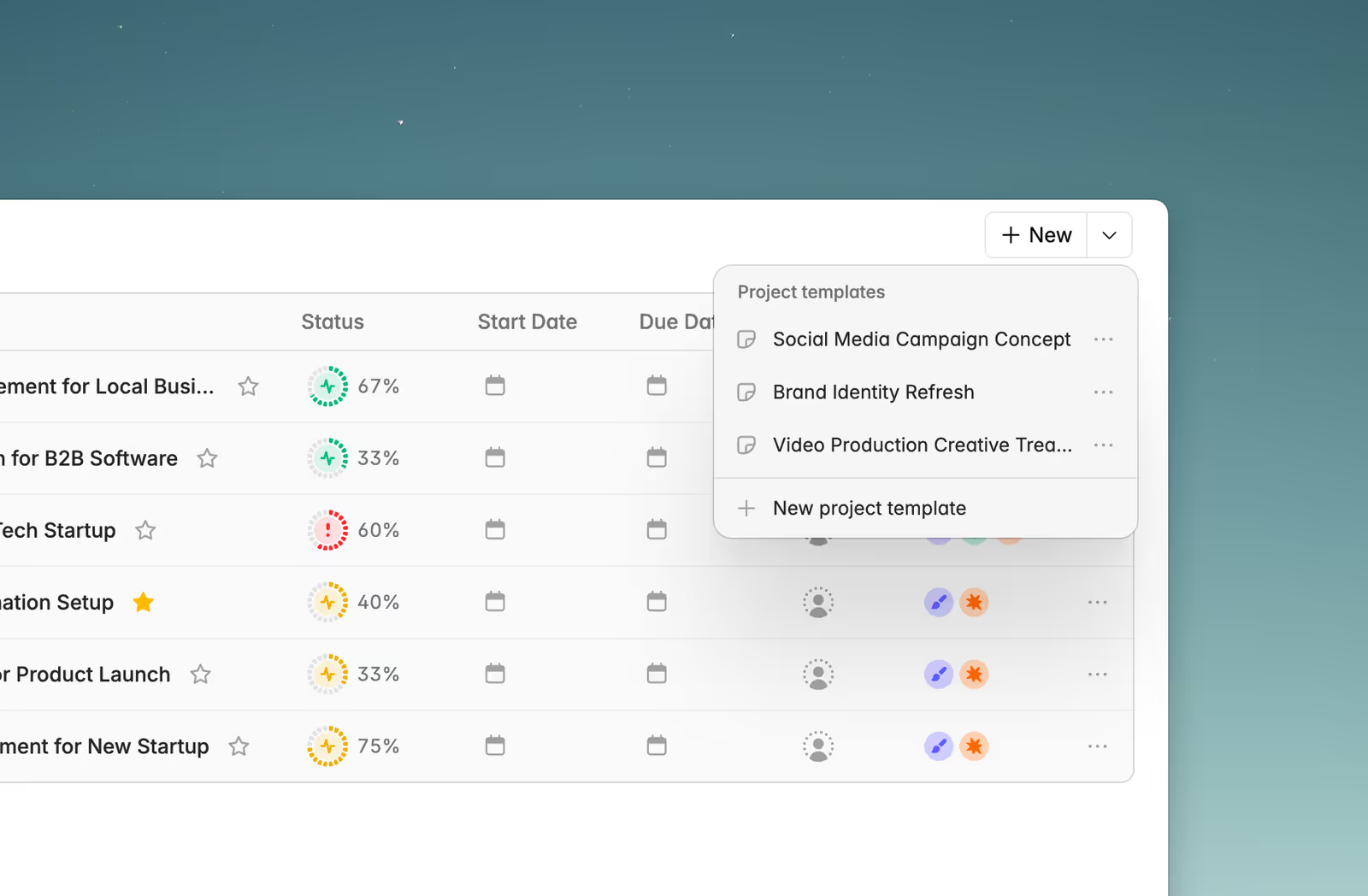
This cuts setup time and eliminates the "we forgot to add QA to the checklist" problem.
It also means your workflow stays consistent across projects, which matters more than most people realize when you're juggling several at once.
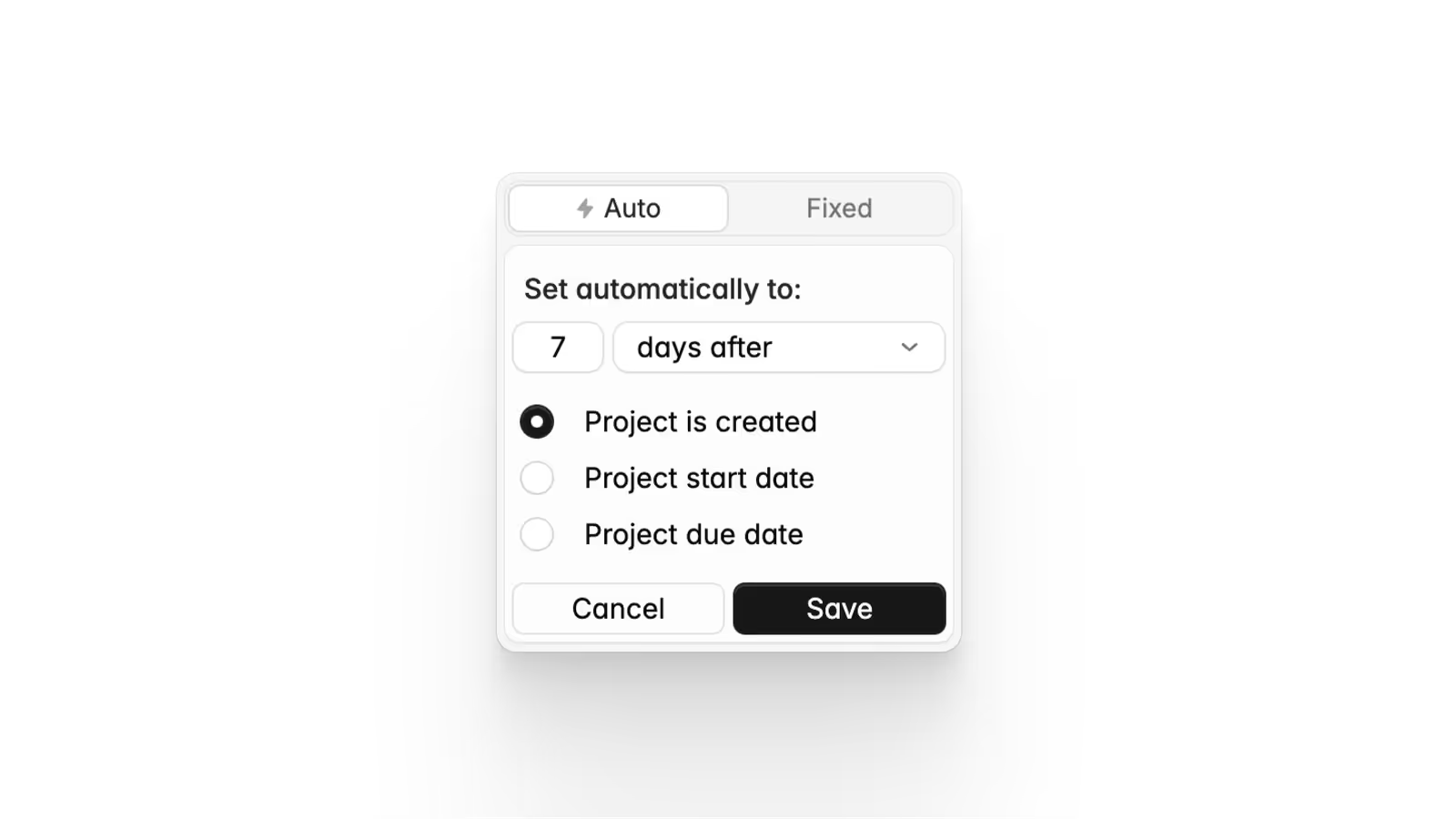
Tip: Plot project templates calculate due dates automatically. Set the dates relative to the project creation or project start/end date, and they adjust every time you create a new project from the template. You set it up once and reuse it forever.
How to track multiple projects without micromanaging
Tracking doesn't mean hovering over your team's shoulders.
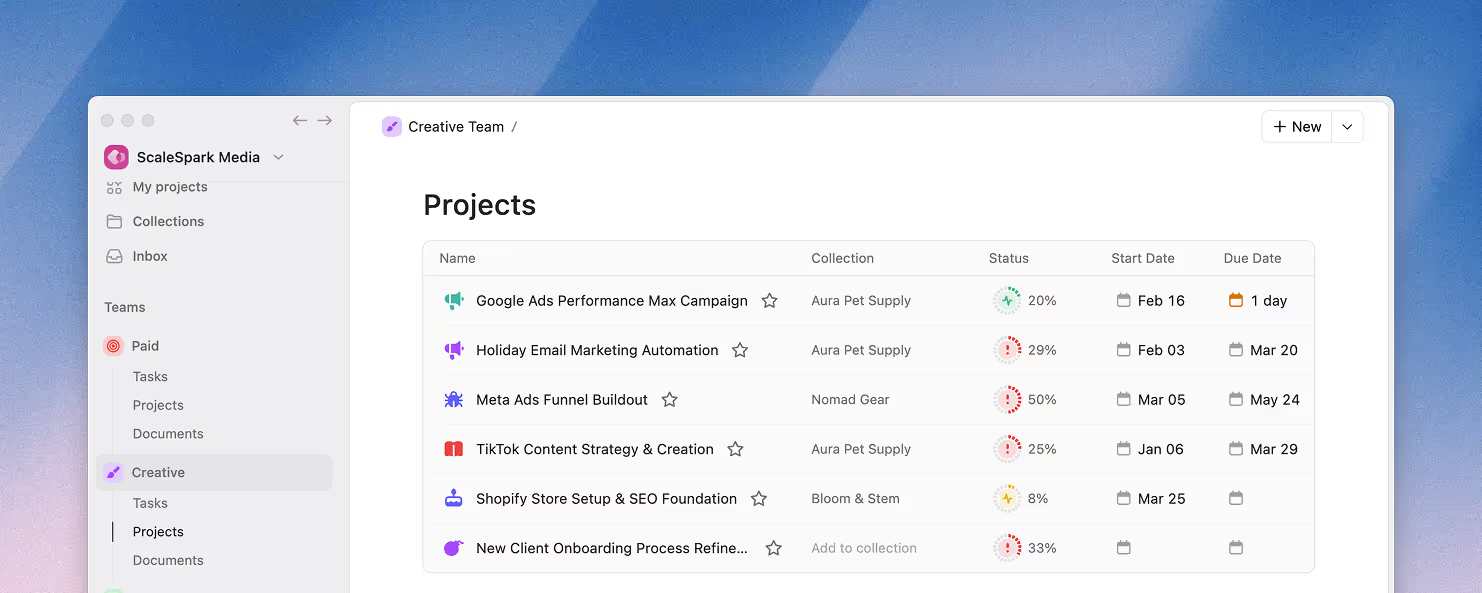
It means having a lightweight, real-time dashboard with clear signals that tell you where to pay attention and where to leave things alone. Something like this:
Check workload by person, not by project (workload balancing)
The single most underrated tracking habit is to check in on your team's plate often.
Project boards show you how each project is doing, but they hide a critical problem: one person may be carrying too much weight.
When you look at a project board, Sarah's twelve tasks are spread across four different projects. Everything looks fine project by project. But Sarah is drowning.
Look at the person instead.
Open each team member's task list across all projects.
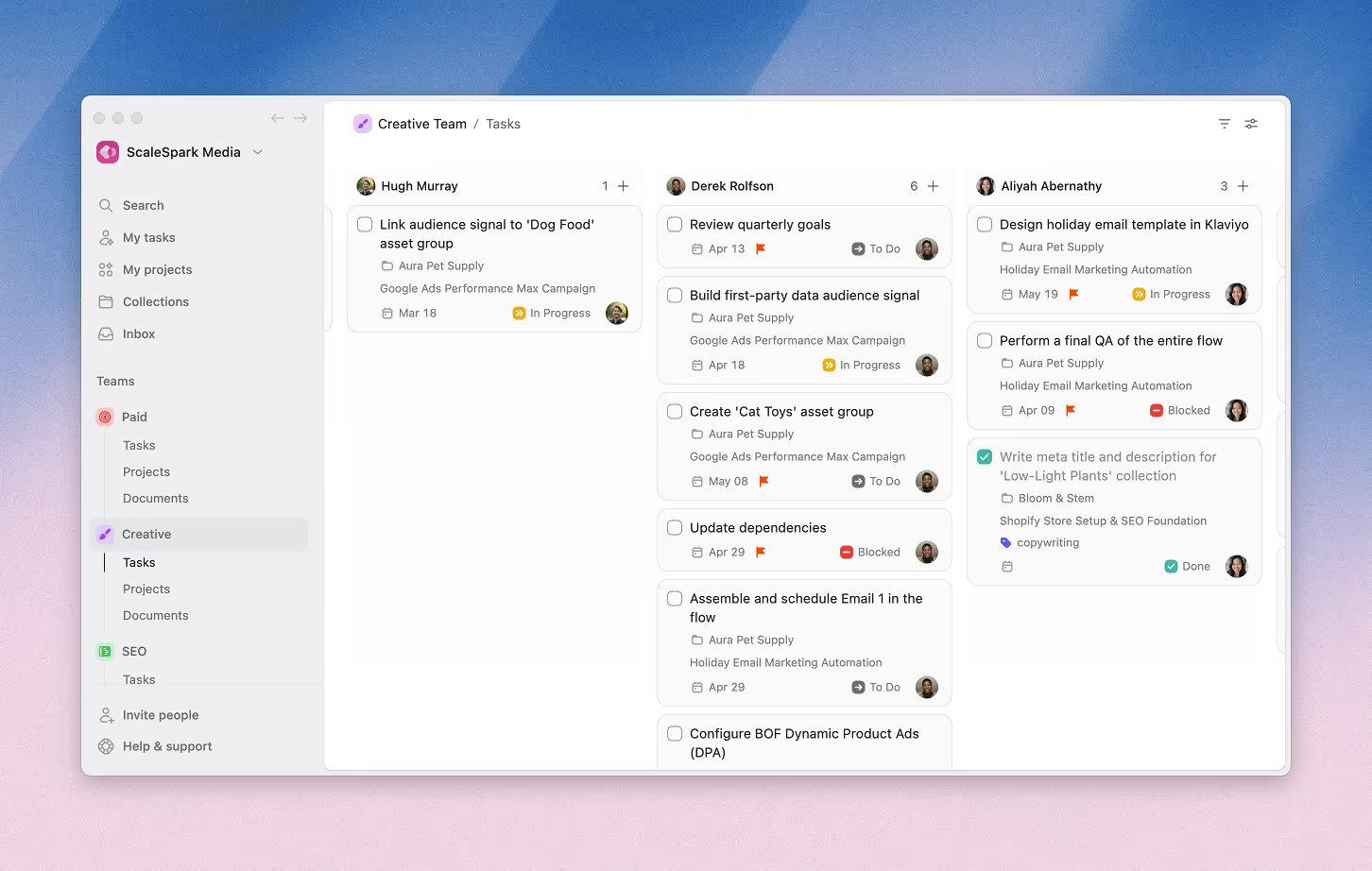
If one person has twelve open tasks and another has two, you see the imbalance before a project slips. You can redistribute work before anyone hits a wall.
Slice your team views by team member, ideally in board view, and you will be able to spot these imbalances from a mile away. Here's how that looks in Plot:
Use three project health levels
- On track: making the deadline at current pace.
- At risk: could slip if one more thing goes wrong.
- Critical: will miss the deadline without immediate action.
The project owner keeps track of the health status and is responsible to keep it up to date.
When you open your project portfolio, you're looking for the signal:
Which projects need your attention today and which ones are fine.
Green (nice and happy), yellow (take a look), red (on fire, act now). Three colors, visible at a glance.
Stagger your project starts
Four projects starting on the same Monday means four projects hitting review bottlenecks on the same Friday.
Stagger the starts. Project A on Monday, Project B on Wednesday, Project C the following Monday.
Reviews, approvals, and feedback loops stop competing for the same people at the same time.
The team gets room to breathe.
And you avoid the cognitive overload of context-switching between four fresh projects on the same day.
Run a quick check-in mid-project (especially on longer ones)
Weekly updates cover the tactical stuff. But on projects that run for more than a few weeks, it's worth pausing once mid-project to ask bigger questions:
- Is the original scope still right, or has the work revealed something we didn't plan for?
- Are we still solving the right problem?
- What would we do differently if we started today?
What to cut ruthlessly
Managing multiple projects well is as much about what you remove as what you build. Here's the stuff that feels productive but actually slows you down.
Giant "to-do" lists
A sixty-item list of stuff on deck feels productive.
Look at all those tasks, organized and waiting. The problem is that nobody touches it. Nobody triages it as its specs. The "to-do" becomes a constant source of anxiety reminding you how much is pending.
Keep your "to-do" list trimmed to the tasks that are happening now and next.
Everything else is either moved to the backlog (might do) or cancelled (won't do.)
Agile ceremonies
Things like:
- Daily standups where people recite what they did yesterday.
- Sprint retrospectives that become complaint sessions with no action items.
- Two-hour planning meetings that produce a plan nobody follows.
If a process doesn't change behavior or surface information you'd otherwise miss, cut it.
Keep the parts that work for your team: iterative delivery, short cycles, working in small batches.
Drop the rituals that exist only because someone read a book about Scrum six years ago.
Over-engineered tooling
If you're spending more time configuring the PM system than doing actual work, something is deeply wrong.
Custom reports, elaborate automations, complex field hierarchies, workflow rules that nobody remembers setting up.
That overhead is real. It takes time, energy, and attention away from the actual projects.
Your tool should take a new team member less than five minutes to understand. They should be able to open it, see their tasks, and start working.
If that's not happening, the tool is the problem.
What this looks like in practice
For a small team (3-5 people)
Monday morning: you open the project dashboard.
Three active projects: Each has an owner. A quick look at the status shows two green, one yellow.
You spend 60 seconds reading the yellow project's latest update.
The designer is waiting on brand assets from the client. You ping the client. Done.
During the week, everyone opens their task list, finds their assigned tasks, and works through them.
When something gets blocked, it gets flagged on the task. No Slack thread required.
Friday: each project owner writes a five-minute update.
You read three short paragraphs instead of sitting through three separate check-in calls.
For an agency (5-10 people, multiple client projects)
Each client project gets its own board with clear task assignments and visible deadlines.
If your tool supports guest access, give clients a seat so they can check progress directly instead of emailing you for status updates.
Weekly project owner updates answer what shipped, what's next, and what the team needs from the client.
Monthly, you do a portfolio review across all active projects for each client collection. Which clients are happiest?
Which projects are at risk?
Where does the team feel overloaded?
This takes thirty minutes and gives you a clear picture of the entire operation.
Frequently asked questions
How do you handle multiple projects at the same time?
Cap your active projects so the team has focus. Assign one owner per project who can answer whether things are on track. Put all projects in a central hub so nobody is hunting across five different tools for status updates. Replace status meetings with short weekly written updates. The system is simple on purpose, because small teams need less process.
How to manage multiple projects without a project manager?
You don't need a dedicated PM. You need one owner per project (can be anyone on the team), a shared workspace where tasks, due dates, and status trackers are visible, and a weekly written check-in. Brief every project before work starts, keep task lists short, and default to async communication. The owner provides accountability and clarity, without the overhead of a full-time project manager role.
How do you prioritize when you have multiple projects?
Start with business impact. Which projects generate revenue, unblock other work, or have hard deadlines? Rank them. Assign your strongest people to the highest-impact work first. Everything else goes into the parking lot until capacity opens up. The hardest part is saying "not now" to projects that feel urgent but aren't. A portfolio view across all active projects makes these decisions easier because you can see the full picture instead of evaluating each project in isolation.
How many projects can one person manage at once?
Two to three medium projects is the practical limit for most people doing the actual work. More than that and context switching eats your productive hours. Research suggests each switch costs around 20 minutes of lost focus, and the quality of attention drops sharply after the third project. If you're purely managing (not executing), you can oversee more, but each person actively working should have a cap.
What tools are best for managing multiple projects?
You need one central place where all projects live with clear ownership, visible tasks, and status updates that stay attached to the work. A portfolio view showing all projects at a glance is important. Real-time updates and task dependencies should be built in so the team can see what's blocked without asking. Beyond that, the best tool is the one your team will actually use day after day. If it takes more than five minutes to learn, most small teams will abandon it within a month.
You got this
The key word here is "momentum."
You don't need a new framework. You don't need the middle of the bell curve setup with 12 apps interconnected with brittle logic.
Pick one of the projects that are raising your blood pressure. Write the brief.
Assign the owner.
Set the status.
Write the first update.
Get that bird's-eye view across your active work and see what needs attention.
You'll know within a week if the system is working. And I'm willing to bet it will feel calmer than whatever you're doing now.
Try Plot free for 15 days
Plot replaces the bloated all-in-one apps with a focused workspace built for projects, tasks and documents. Impossibly fast, refreshingly simple.