Labels
Create and manage the labels that organize an area's tasks.
Labels describe work with categories such as review, documentation, urgent, or blocked. Each label belongs to one area.
Manage area labels
- Open Area options.
- Select Settings.
- Open Labels.
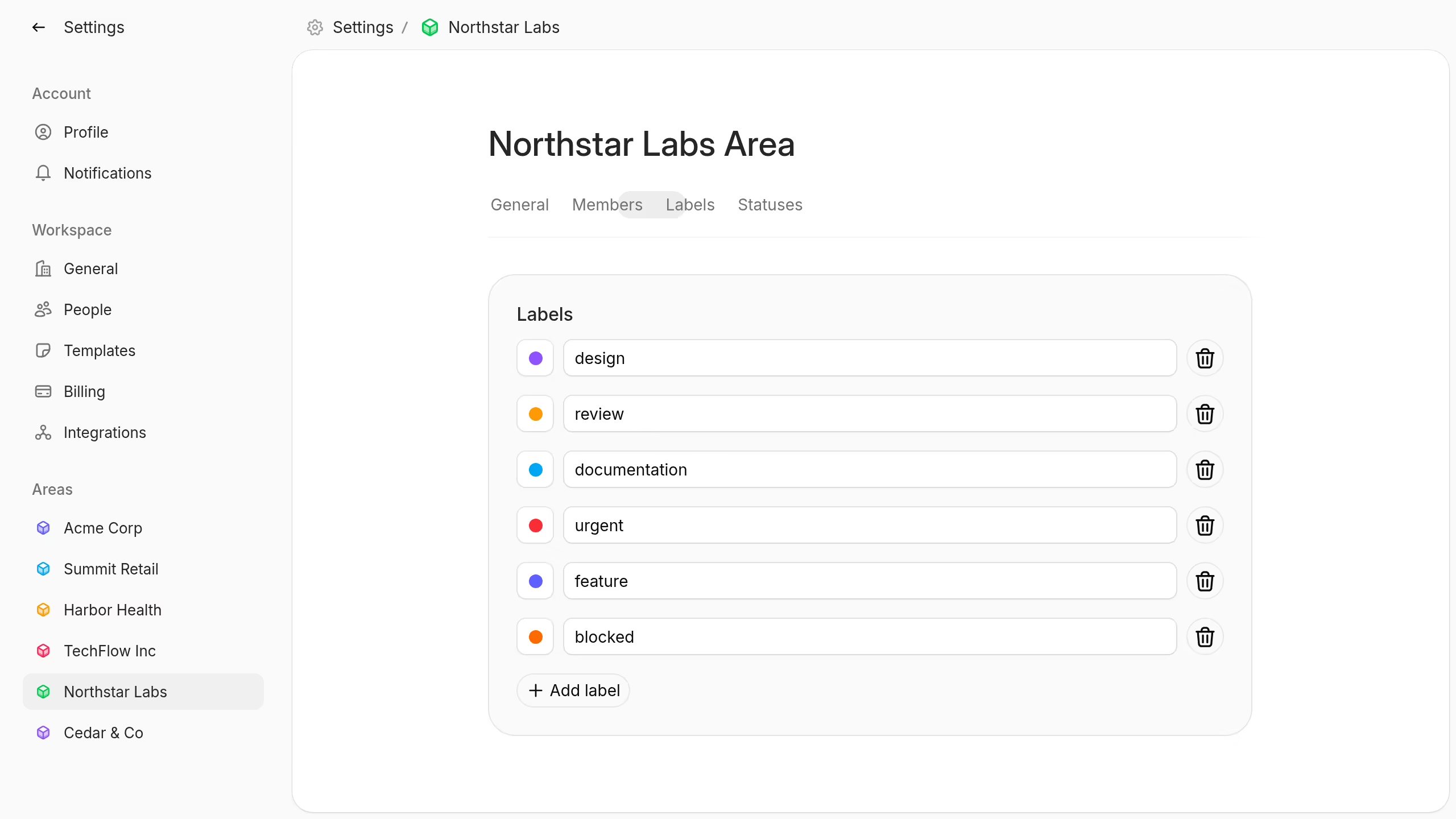
Select Add label to create a label. Enter a unique name and choose a color.
Edit a label's name or color in the list. Plot saves the change when you leave the field.
Select the delete control to remove a label. Deletion removes the label from all tasks and cannot be undone.
You need permission to edit area settings before you can manage labels.
Add labels to a task
Open a task and select Add labels. Choose one or more labels from the task's area.
You can create a label from the task label menu when you have area settings permission. Moving the task to another area changes the available labels.