
Statuses
Customize the status workflow for tasks in an area.
Each area owns its task statuses. Tasks use these statuses in lists, boards, filters, and reports.
Understand status stages
Plot organizes statuses into five fixed stages:
- Completed: Work is finished.
- In progress: Work has started or needs active attention.
- Not started: Work is ready but has not started.
- Backlog: Work is not ready for the active plan.
- Cancelled: Work will not continue.
Stages give reports and workspace templates a consistent meaning. Status names can differ between areas.
Manage statuses
- Open Area options.
- Select Settings.
- Open Statuses.
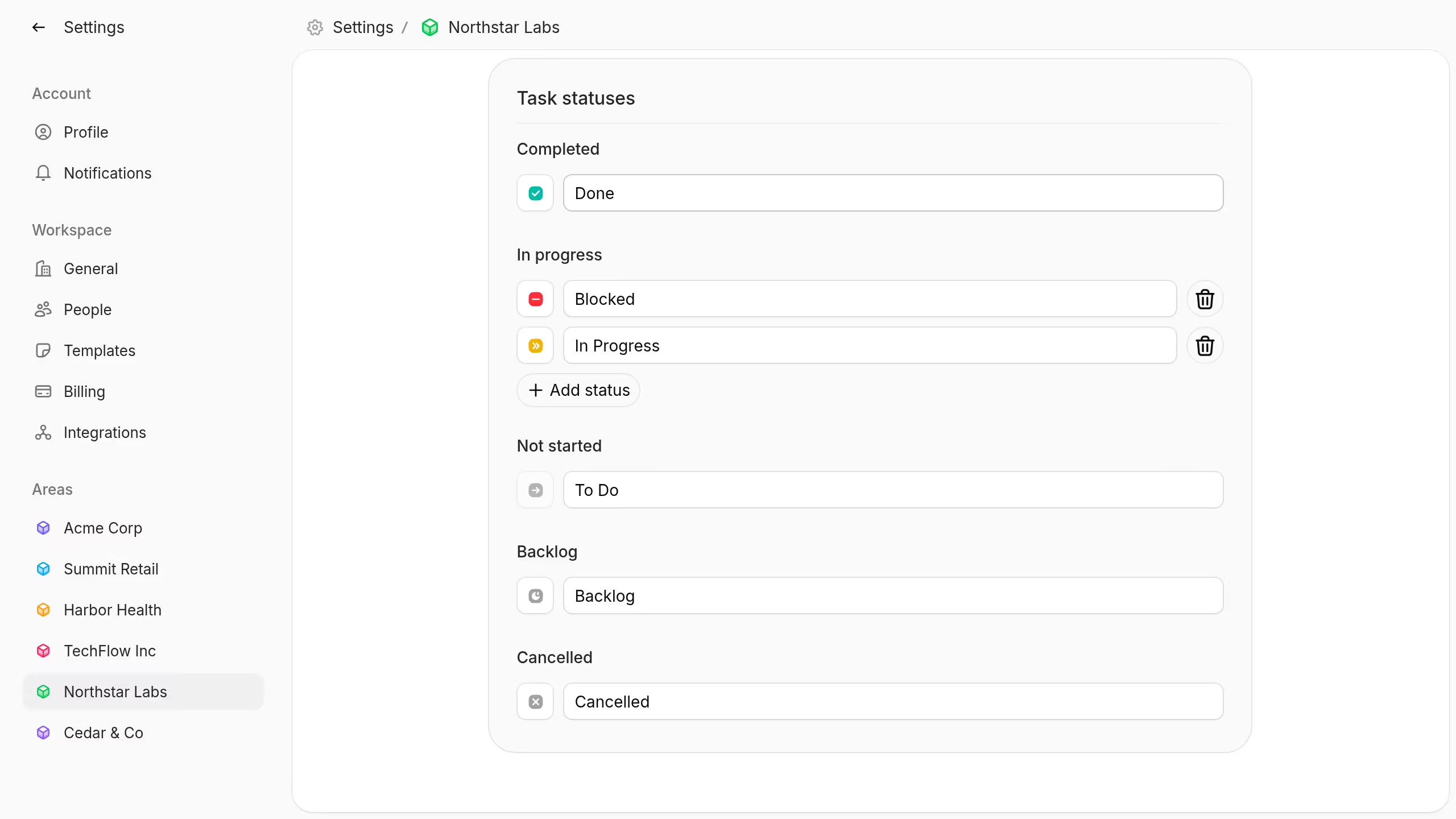
Rename a status in its field. Change its color where the color control is available.
Select Add status under In progress to add another active status. Choose a unique name, color, and icon.
Drag In progress statuses to change their order. This order appears wherever Plot shows the area's workflow.
You can delete an In progress status when at least one other status remains. Move its tasks first when the status is in use.
You need permission to edit area settings before you can manage statuses.