
Organize and archive threads
Keep the Chat sidebar short with favorites and archiving, and see what a thread cost.
Archive a thread as soon as you finish its work. A short sidebar shows you at a glance which threads still need you, and you can bring any thread back later.
Archive a thread
Open the thread menu (⋯) at the top of the thread and select Archive. You can also hover the thread in the sidebar, open its menu, and select Archive.
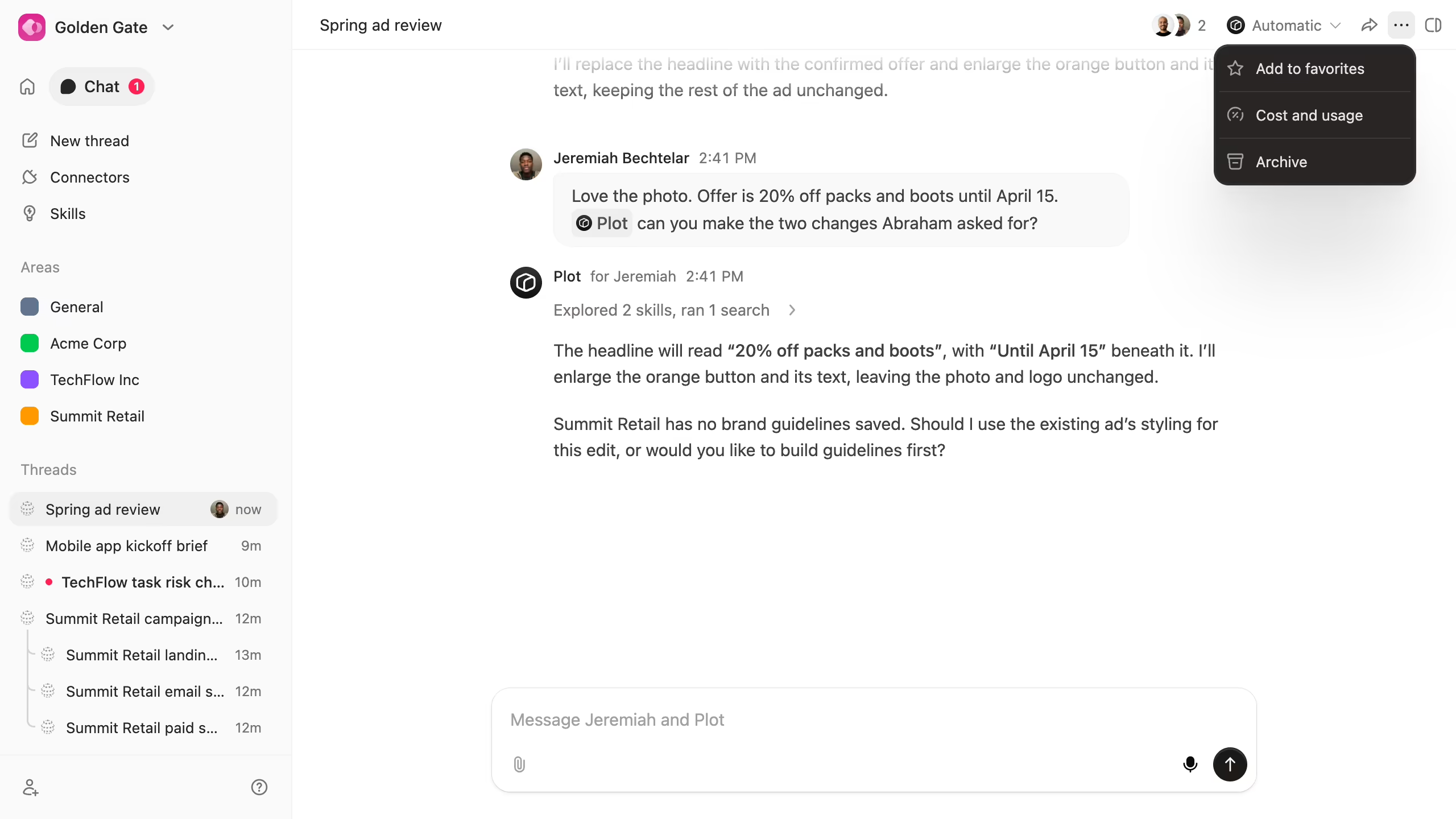
Archiving a thread:
- moves it to Archived at the bottom of the Chat sidebar, or to the Archived list on its area page;
- archives it for everyone in it;
- stops everything Plot scheduled in it.
To bring a thread back, open it and select Unarchive.
Favorite a thread
Select Add to favorites in the thread menu. Favorites stay at the top of the Chat sidebar.
Rename a thread
Plot names a thread from its first messages. To rename it, open its menu in the sidebar and select Rename.
Read the sidebar
- A red dot means Plot replied and you have not read it yet.
- A moving icon means Plot is working in the thread.
- Faces show who else is in the thread.
- Threads that Plot started are listed under the thread that started them.
- Snoozed holds threads that Plot snoozed until a later time.
See what a thread cost
Select Cost and usage in the thread menu. It shows the thread's total cost and what every agent used.
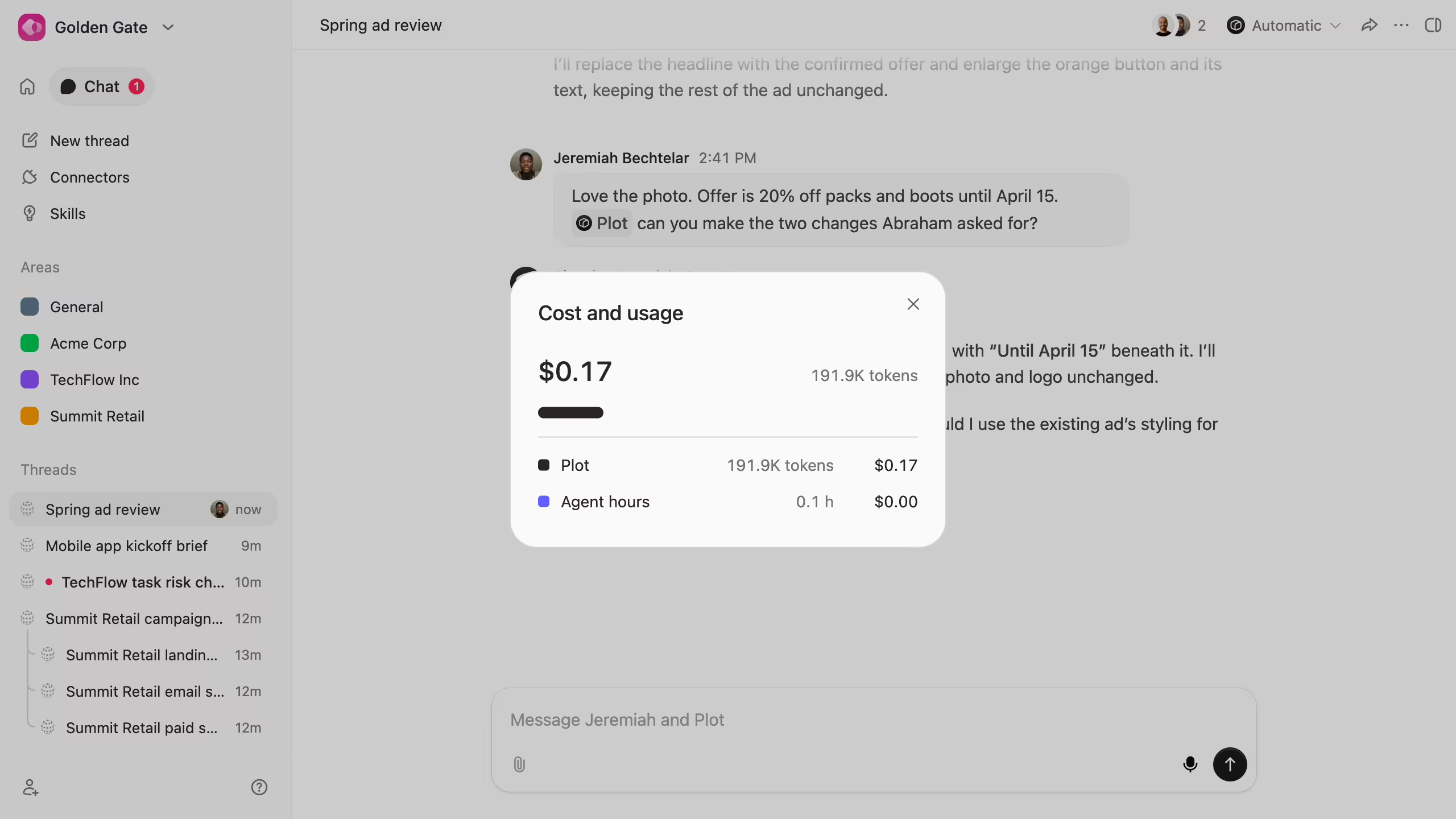
Your workspace pays for usage from its AI credits. See your balance and buy credits in Settings > Billing.