
Review work in the preview pane
Open Plot's work beside the chat, and point at the exact lines or parts of an image you want changed.
Select a link in Plot's reply to open that work beside the chat. Then quote the part you want changed, and Plot changes only that part.
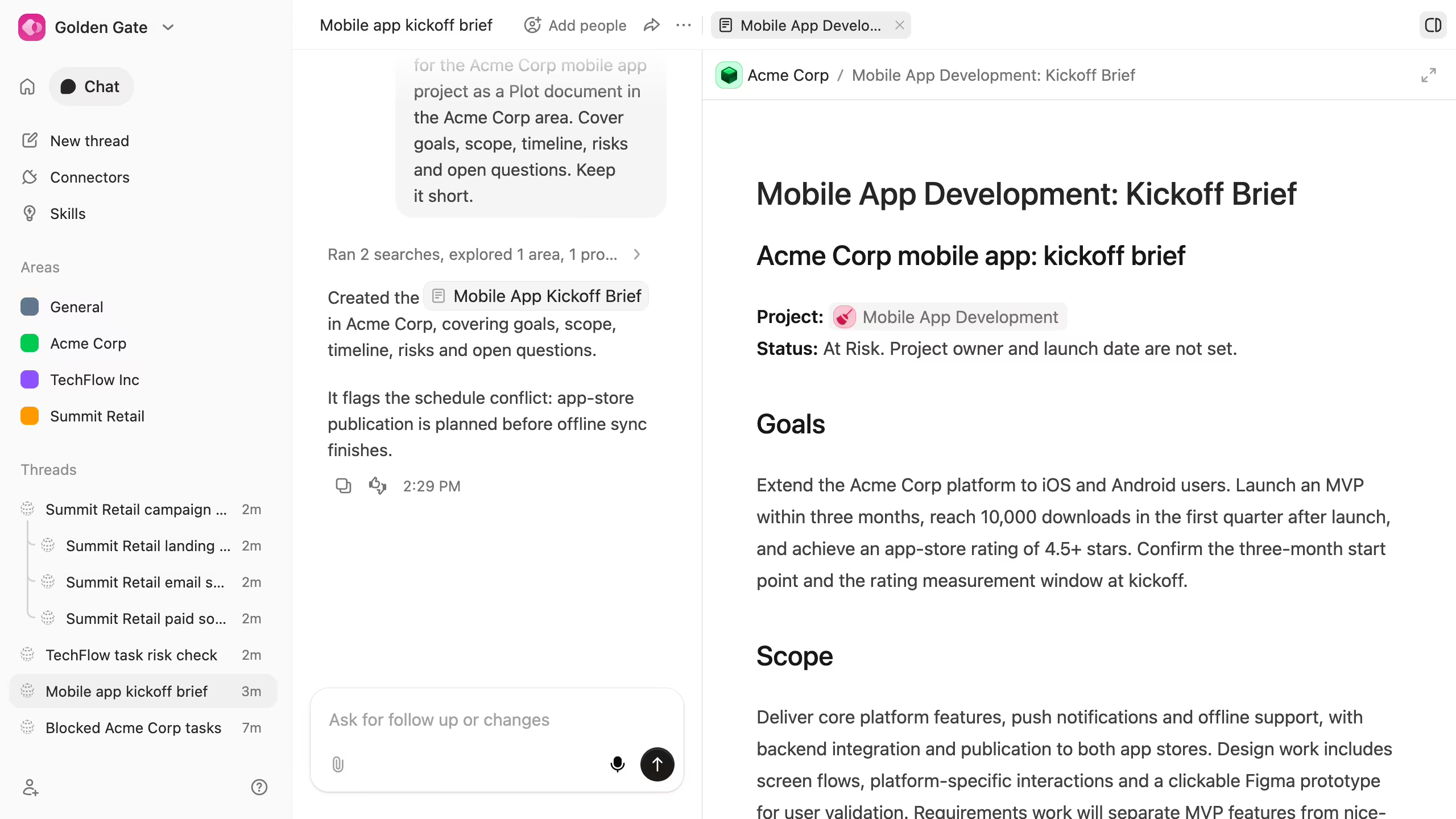
To open the full page instead, hold Cmd (Ctrl on Windows and Linux) when
you select the link. Every thread has its own tabs in the preview pane.
Quote text
- Select the lines you want to change.
- Select Quote in chat, or press
Cmd+L(Ctrl+Lon Windows and Linux). - Write the change, and send it.
You can add several quotes to one message.
Mark up an image
- Drag across the image to mark an area, or click to drop a pin. Plot numbers your marks.
- Select the quote button below the image, or press
Cmd+L. - Write what to change, by mark number.
Plot gets a copy of the image with your marks on it. To remove one mark, click
its number. To remove all marks, select Clear or press Esc.
Quote part of a web page
For an HTML file, select Quote an element in chat, then click the part of the page you want changed.
Edit it yourself
Tasks, projects and documents in the preview pane are the real pages, so you can edit them there and Plot sees your changes.