
Teach Plot with skills
Save how your team does a job as a skill, and change the instructions of Plot's specialist agents.
A skill holds your team's instructions for a job, such as how you plan a client kickoff. Plot finds the matching skill when you ask for that job and follows it.
Skills are shared with everyone in the workspace.
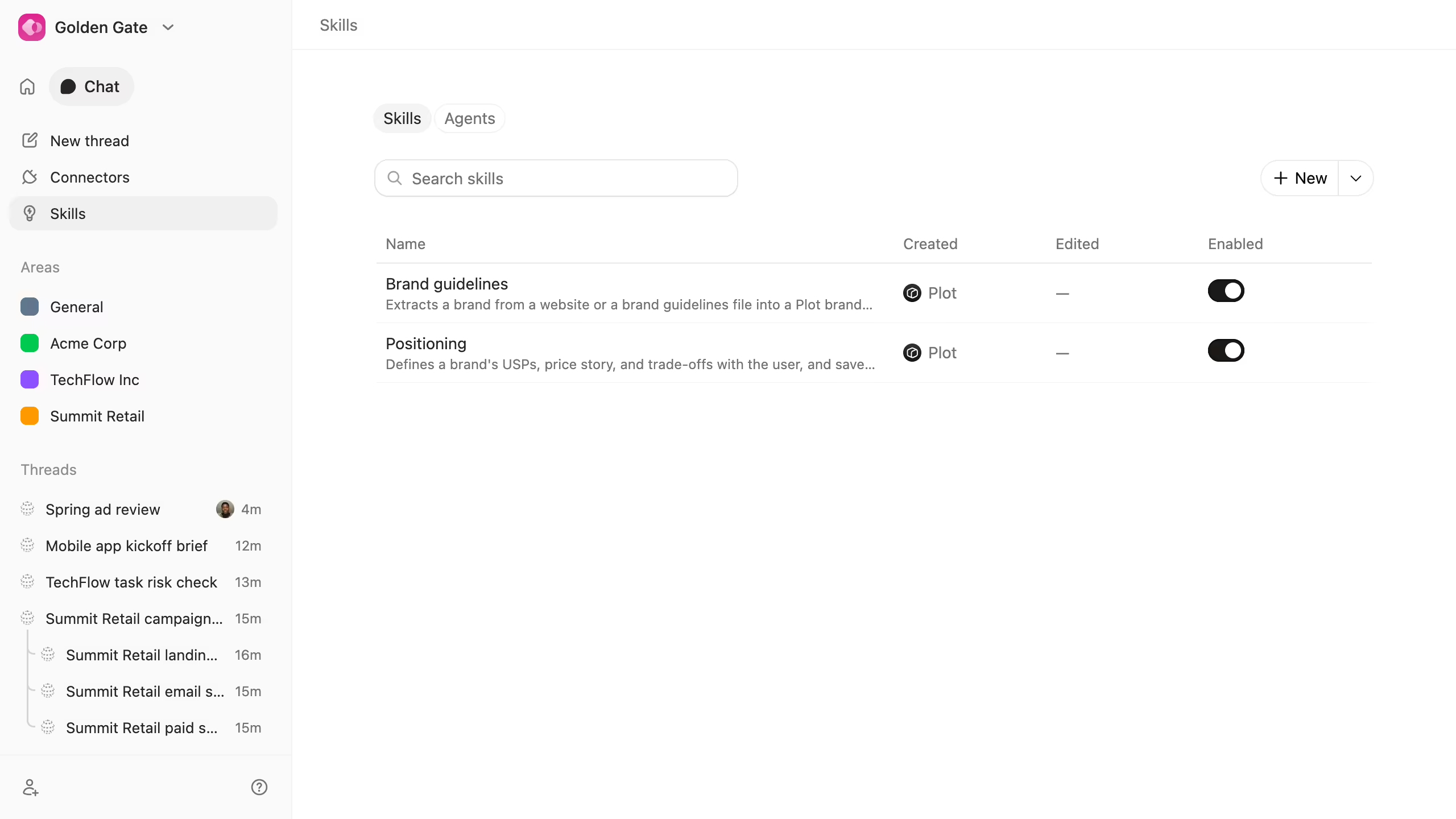
Create a skill
- Select Skills in the Chat sidebar.
- Select New.
- Give the skill a name and a description, and write the instructions.
Plot reads the description to decide when to use the skill, so say when it applies, such as "Use when someone asks to plan a client kickoff."
Under References, add documents or files that Plot should read with the skill, such as a template or a brand guide.
To bring in skills you already have, open the menu next to New and select Import from a folder or Install from GitHub.
Turn a skill off for yourself
Use the switch in the Enabled column. Plot stops using that skill in your threads, and it stays on for everyone else. To remove a skill for everyone, open its menu and remove it.
Change a specialist agent's instructions
- Select Skills in the Chat sidebar.
- Open the Agents tab.
- Select an agent, such as Copywriter, and write your instructions.
Your instructions add to the agent's own. To replace them, turn on Override default instructions?.