
Schedule work and routines
Ask Plot to do something later, check back on something, or repeat a job on a schedule.
Ask Plot in a thread to run later or on a schedule. Plot comes back to that thread at the time you set, does the work, and notifies you when it replies.
Run once later
Say when, and what to do.
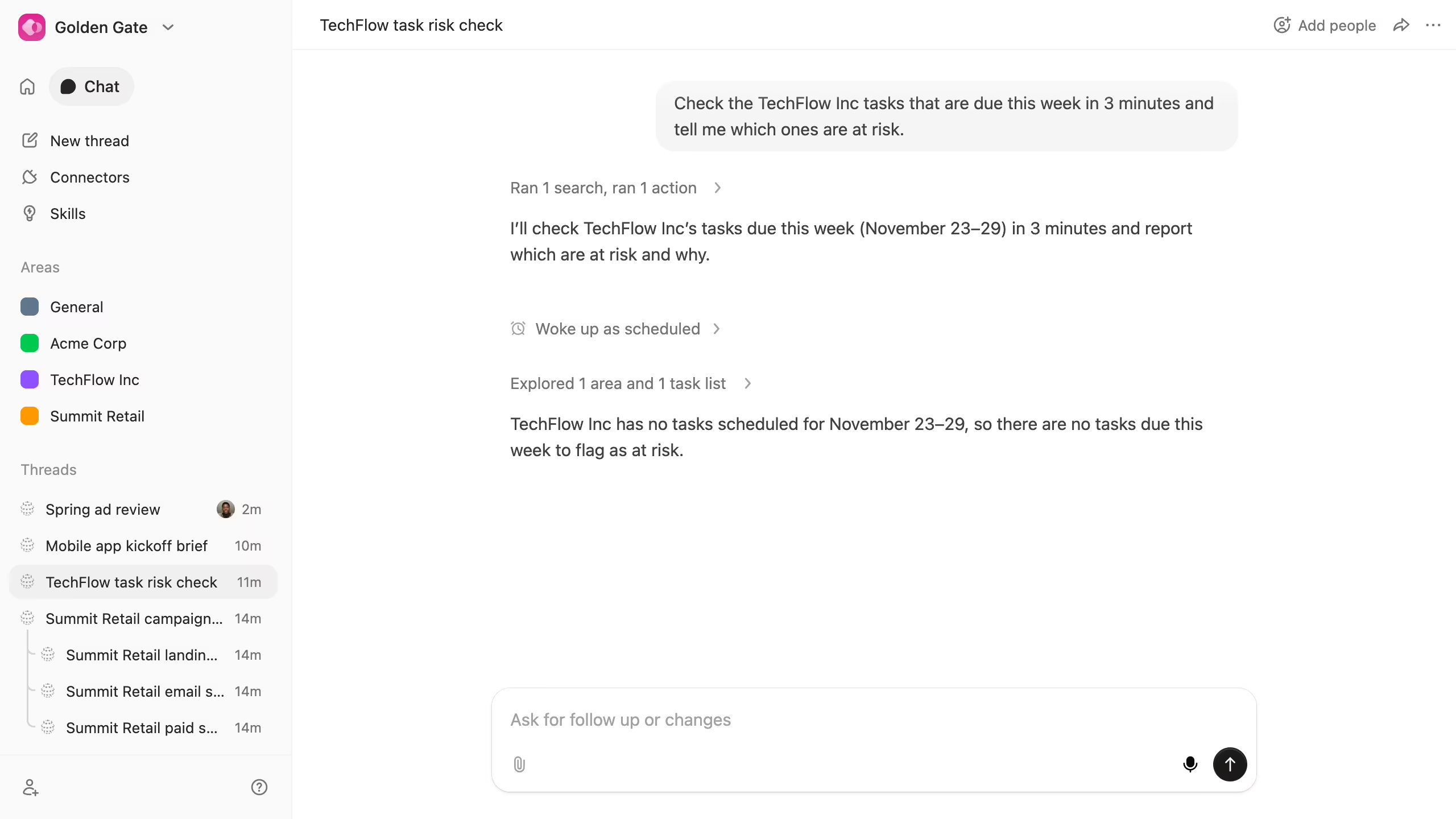
- "Check the TechFlow Inc tasks due this week in an hour and tell me which ones are at risk."
- "Tomorrow at 9, see whether the client approved the brief, and nudge them if not."
When the time comes, the thread shows Woke up as scheduled, then Plot's reply.
Repeat on a schedule
Ask for a routine.
- "Every weekday at 8, send me the tasks due today across all areas."
- "Every Monday morning, summarize last week's progress on the Acme Corp project."
The thread shows every run as Routine, run and its number. A routine can run at most every 15 minutes.
Times use the time zone in your profile.
See and stop schedules
Ask Plot in the same thread, such as "What have you scheduled here?" or "Stop the Monday summary." Archiving the thread also stops everything scheduled in it.
A thread keeps its own schedules, so give every routine its own thread. Then you can find and change the routine in one place.
Snooze a thread
Ask Plot to snooze a thread until a time, such as "Snooze this until Friday." The thread moves to Snoozed in the sidebar and sends no notifications. At that time it comes back, and Plot writes to you. If you write in the thread first, the snooze ends.